


Page 178 - Customize-Project-Plan-by-tailoring-Smartsheet
P. 178
Customize your Project Plan
by tailoring Smartsheet
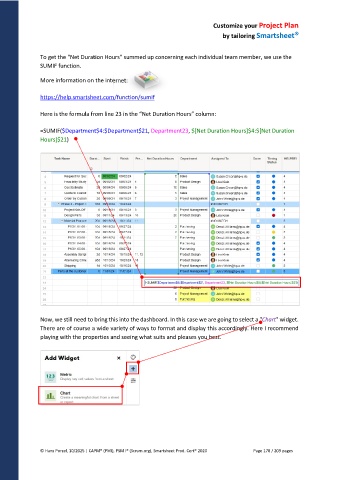
To get the "Net Duration Hours" summed up concerning each individual team member, we use the
SUMIF function.
More information on the internet:
https://help.smartsheet.com/function/sumif
Here is the formula from line 23 in the “Net Duration Hours” column:
=SUMIF($Department$4:$Department$21, Department23, $[Net Duration Hours]$4:$[Net Duration
Hours]$21)
Now, we still need to bring this into the dashboard. In this case we are going to select a "Chart" widget.
There are of course a wide variety of ways to format and display this accordingly. Here I recommend
playing with the properties and seeing what suits and pleases you best.
© Hans Porzel, 10/2025 | CAPM® (PMI), PSM I® (Scrum.org), Smartsheet Prod. Cert® 2020 Page 178 / 209 pages

