


Page 188 - Customize-Project-Plan-by-tailoring-Smartsheet
P. 188
Customize your Project Plan
by tailoring Smartsheet
So, it looks like that all is for no avail and nothing might help us.
But now let's talk about this quite hidden feature I mentioned above.
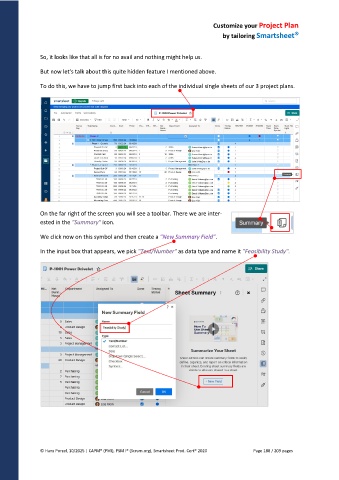
To do this, we have to jump first back into each of the individual single sheets of our 3 project plans.
On the far right of the screen you will see a toolbar. There we are inter-
ested in the "Summary" icon.
We click now on this symbol and then create a "New Summary Field".
In the input box that appears, we pick "Text/Number" as data type and name it "Feasibility Study".
© Hans Porzel, 10/2025 | CAPM® (PMI), PSM I® (Scrum.org), Smartsheet Prod. Cert® 2020 Page 188 / 209 pages

