


Page 101 - Customize-Project-Plan-by-tailoring-Smartsheet
P. 101
Customize your Project Plan
by tailoring Smartsheet
34. Concept of Planning & Monitoring
34.1. Concept of Planning & Monitoring
Planning a project is one thing, tracking and monitoring something else. In this chapter here we will
talk about the possibilities of "monitoring the progress".
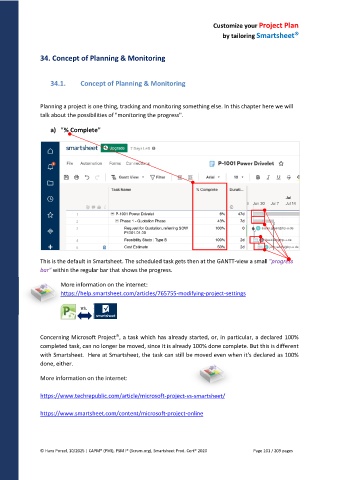
a) "% Complete"
This is the default in Smartsheet. The scheduled task gets then at the GANTT-view a small "progress
bar" within the regular bar that shows the progress.
More information on the internet:
https://help.smartsheet.com/articles/765755-modifying-project-settings
vs.
Concerning Microsoft Project , a task which has already started, or, in particular, a declared 100%
completed task, can no longer be moved, since it is already 100% done complete. But this is different
with Smartsheet. Here at Smartsheet, the task can still be moved even when it's declared as 100%
done, either.
More information on the internet:
https://www.techrepublic.com/article/microsoft-project-vs-smartsheet/
https://www.smartsheet.com/content/microsoft-project-online
© Hans Porzel, 10/2025 | CAPM® (PMI), PSM I® (Scrum.org), Smartsheet Prod. Cert® 2020 Page 101 / 209 pages

