


Page 127 - Customize-Project-Plan-by-tailoring-Smartsheet
P. 127
Customize your Project Plan
by tailoring Smartsheet
46. Sharing ...
46.1. Sharing
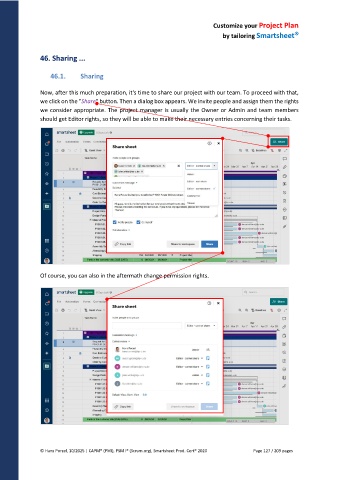
Now, after this much preparation, it's time to share our project with our team. To proceed with that,
we click on the "Share" button. Then a dialog box appears. We invite people and assign them the rights
we consider appropriate. The project manager is usually the Owner or Admin and team members
should get Editor rights, so they will be able to make their necessary entries concerning their tasks.
Of course, you can also in the aftermath change permission rights.
© Hans Porzel, 10/2025 | CAPM® (PMI), PSM I® (Scrum.org), Smartsheet Prod. Cert® 2020 Page 127 / 209 pages

