


Page 107 - Customize-Project-Plan-by-tailoring-Smartsheet
P. 107
Customize your Project Plan
by tailoring Smartsheet
CASE STUDY
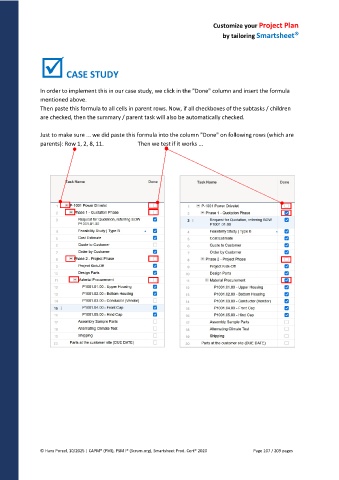
In order to implement this in our case study, we click in the "Done" column and insert the formula
mentioned above.
Then paste this formula to all cells in parent rows. Now, if all checkboxes of the subtasks / children
are checked, then the summary / parent task will also be automatically checked.
Just to make sure ... we did paste this formula into the column "Done" on following rows (which are
parents): Row 1, 2, 8, 11. Then we test if it works ...
© Hans Porzel, 10/2025 | CAPM® (PMI), PSM I® (Scrum.org), Smartsheet Prod. Cert® 2020 Page 107 / 209 pages

