


Page 120 - Customize-Project-Plan-by-tailoring-Smartsheet
P. 120
Customize your Project Plan
by tailoring Smartsheet
43. Baseline (= Freeze plan)
43.1. Baseline (= Freeze plan)
I'm sure you remember still very vividly the many projects you already went through in the last few
years. And I am still also very sure that you remember that tasks got often postponed, or had to be
shortened, because of many reasons, either. Had it not been great to freeze the initial schedule, so
you could see where deviations occurred and whether your project drifts gradually back or floats well
forwards either? To freeze a schedule to be able to compare it later is called "setting up a Baseline".
Here in this chapter let's talk about how to deal with setting up a Baseline.
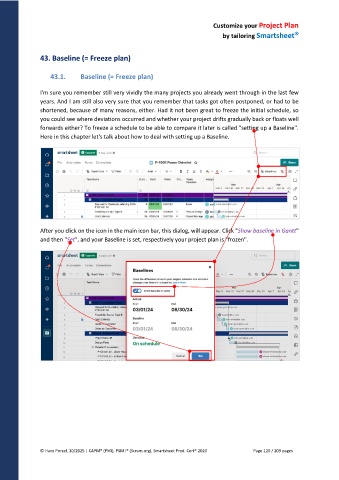
After you click on the icon in the main icon bar, this dialog, will appear. Click "Show baseline in Gantt"
and then "Set", and your Baseline is set, respectively your project plan is "frozen".
© Hans Porzel, 10/2025 | CAPM® (PMI), PSM I® (Scrum.org), Smartsheet Prod. Cert® 2020 Page 120 / 209 pages

