


Page 146 - Customize-Project-Plan-by-tailoring-Smartsheet
P. 146
Customize your Project Plan
by tailoring Smartsheet
55. External Collaborators
55.1. Share just certain rows with external collaborators
This chapter is about dealing with external collaborators, like with suppliers or customers as well. But
before I will go on explaining, I would like to let you know that I do not recommend proceeding this
way. It's in my opinion too risky to share confidential data. But anyway, I think you should nonetheless
know about this possibility.
Let's assume, you have a sheet with confidential data, e.g., your project plan. You would only want to
share a few lines from this sheet with someone external so that this external person can make entries
there directly. To perform this, we are supposed to do the following:
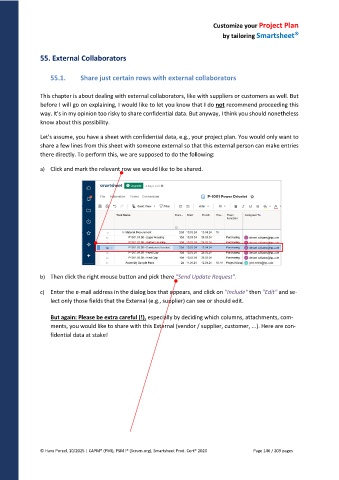
a) Click and mark the relevant row we would like to be shared.
b) Then click the right mouse button and pick there "Send Update Request".
c) Enter the e-mail address in the dialog box that appears, and click on "Include" then "Edit" and se-
lect only those fields that the External (e.g., supplier) can see or should edit.
But again: Please be extra careful (!), especially by deciding which columns, attachments, com-
ments, you would like to share with this External (vendor / supplier, customer, ...). Here are con-
fidential data at stake!
© Hans Porzel, 10/2025 | CAPM® (PMI), PSM I® (Scrum.org), Smartsheet Prod. Cert® 2020 Page 146 / 209 pages

