


Page 156 - Customize-Project-Plan-by-tailoring-Smartsheet
P. 156
Customize your Project Plan
by tailoring Smartsheet
57.2. Multi Project Management / Multiple Gantt Chart
Through a report we can access several project plans at once and show them just in a (1) report. That
means, we already handle multi-project management too. Our goal is now to visualize these "multiple"
projects in the Gantt chart.
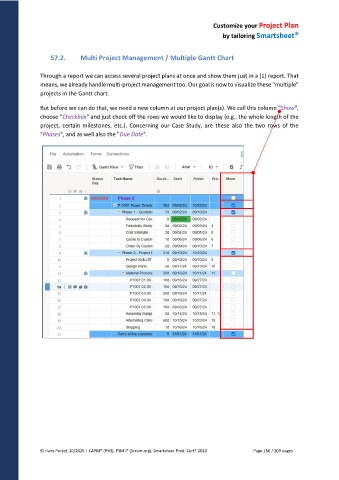
But before we can do that, we need a new column at our project plan(s). We call this column "Show",
choose "Checkbox" and just check off the rows we would like to display (e.g., the whole length of the
project, certain milestones, etc.). Concerning our Case Study, are these also the two rows of the
"Phases", and as well also the "Due Date".
© Hans Porzel, 10/2025 | CAPM® (PMI), PSM I® (Scrum.org), Smartsheet Prod. Cert® 2020 Page 156 / 209 pages

