


Page 159 - Customize-Project-Plan-by-tailoring-Smartsheet
P. 159
Customize your Project Plan
by tailoring Smartsheet
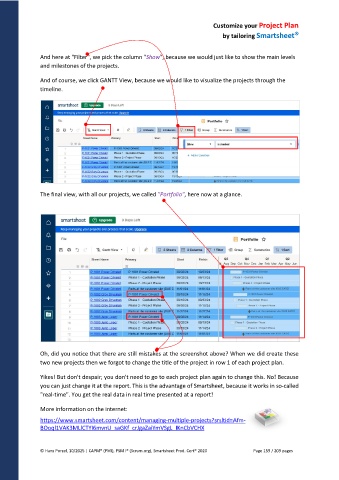
And here at "Filter", we pick the column "Show", because we would just like to show the main levels
and milestones of the projects.
And of course, we click GANTT View, because we would like to visualize the projects through the
timeline.
The final view, with all our projects, we called "Portfolio", here now at a glance.
Oh, did you notice that there are still mistakes at the screenshot above? When we did create these
two new projects then we forgot to change the title of the project in row 1 of each project plan.
Yikes! But don't despair; you don't need to go to each project plan again to change this. No! Because
you can just change it at the report. This is the advantage of Smartsheet, because it works in so-called
"real-time". You get the real data in real time presented at a report!
More information on the internet:
https://www.smartsheet.com/content/managing-multiple-projects?srsltid=Afm-
BOoql1VAK3MLlCTYI6mvnU_saGKf_crJgaZaiYmVSgL_IKnCbVCHX
© Hans Porzel, 10/2025 | CAPM® (PMI), PSM I® (Scrum.org), Smartsheet Prod. Cert® 2020 Page 159 / 209 pages

