


Page 83 - Customize-Project-Plan-by-tailoring-Smartsheet
P. 83
Customize your Project Plan
by tailoring Smartsheet
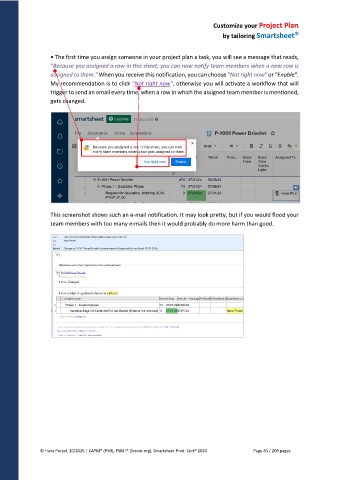
• The first time you assign someone in your project plan a task, you will see a message that reads,
"Because you assigned a row in this sheet, you can now notify team members when a new row is
assigned to them." When you receive this notification, you can choose "Not right now" or "Enable".
My recommendation is to click "Not right now", otherwise you will activate a workflow that will
trigger to send an email every time, when a row in which the assigned team member is mentioned,
gets changed.
This screenshot shows such an e-mail notification. It may look pretty, but if you would flood your
team members with too many e-mails then it would probably do more harm than good.
© Hans Porzel, 10/2025 | CAPM® (PMI), PSM I® (Scrum.org), Smartsheet Prod. Cert® 2020 Page 83 / 209 pages

