


Page 163 - Customize-Project-Plan-by-tailoring-Smartsheet
P. 163
Customize your Project Plan
by tailoring Smartsheet
But before we can use a "Metric", we must first determine it.
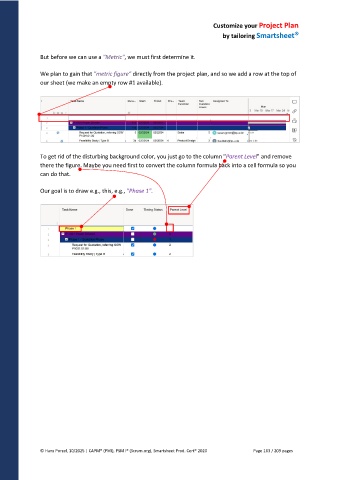
We plan to gain that "metric figure" directly from the project plan, and so we add a row at the top of
our sheet (we make an empty row #1 available).
To get rid of the disturbing background color, you just go to the column "Parent Level" and remove
there the figure. Maybe you need first to convert the column formula back into a cell formula so you
can do that.
Our goal is to draw e.g., this, e.g., "Phase 1".
© Hans Porzel, 10/2025 | CAPM® (PMI), PSM I® (Scrum.org), Smartsheet Prod. Cert® 2020 Page 163 / 209 pages

