


Page 53 - Customize-Project-Plan-by-tailoring-Smartsheet
P. 53
Customize your Project Plan
by tailoring Smartsheet
CASE STUDY
First, let's look at the schedule again. Where should a milestone be set?
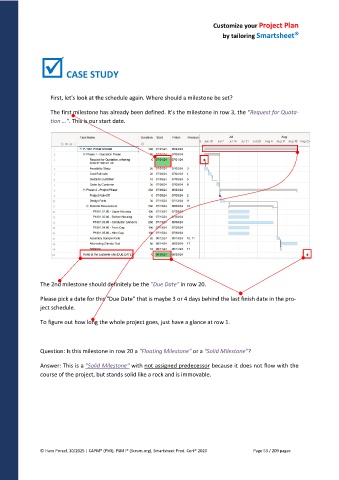
The first milestone has already been defined. It's the milestone in row 3, the "Request for Quota-
tion …". This is our start date.
The 2nd milestone should definitely be the "Due Date" in row 20.
Please pick a date for this "Due Date" that is maybe 3 or 4 days behind the last finish date in the pro-
ject schedule.
To figure out how long the whole project goes, just have a glance at row 1.
Question: Is this milestone in row 20 a "Floating Milestone" or a "Solid Milestone"?
Answer: This is a "Solid Milestone" with not assigned predecessor because it does not flow with the
course of the project, but stands solid like a rock and is immovable.
© Hans Porzel, 10/2025 | CAPM® (PMI), PSM I® (Scrum.org), Smartsheet Prod. Cert® 2020 Page 53 / 209 pages

