


Page 174 - Customize-Project-Plan-by-tailoring-Smartsheet
P. 174
Customize your Project Plan
by tailoring Smartsheet
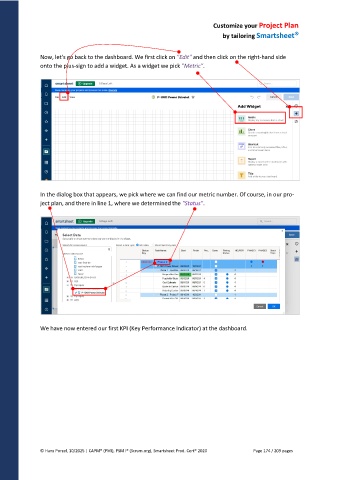
Now, let's go back to the dashboard. We first click on "Edit" and then click on the right-hand side
onto the plus-sign to add a widget. As a widget we pick "Metric".
In the dialog box that appears, we pick where we can find our metric number. Of course, in our pro-
ject plan, and there in line 1, where we determined the "Status".
We have now entered our first KPI (Key Performance Indicator) at the dashboard.
© Hans Porzel, 10/2025 | CAPM® (PMI), PSM I® (Scrum.org), Smartsheet Prod. Cert® 2020 Page 174 / 209 pages

